
A moment to begin
One task.
Your attention.
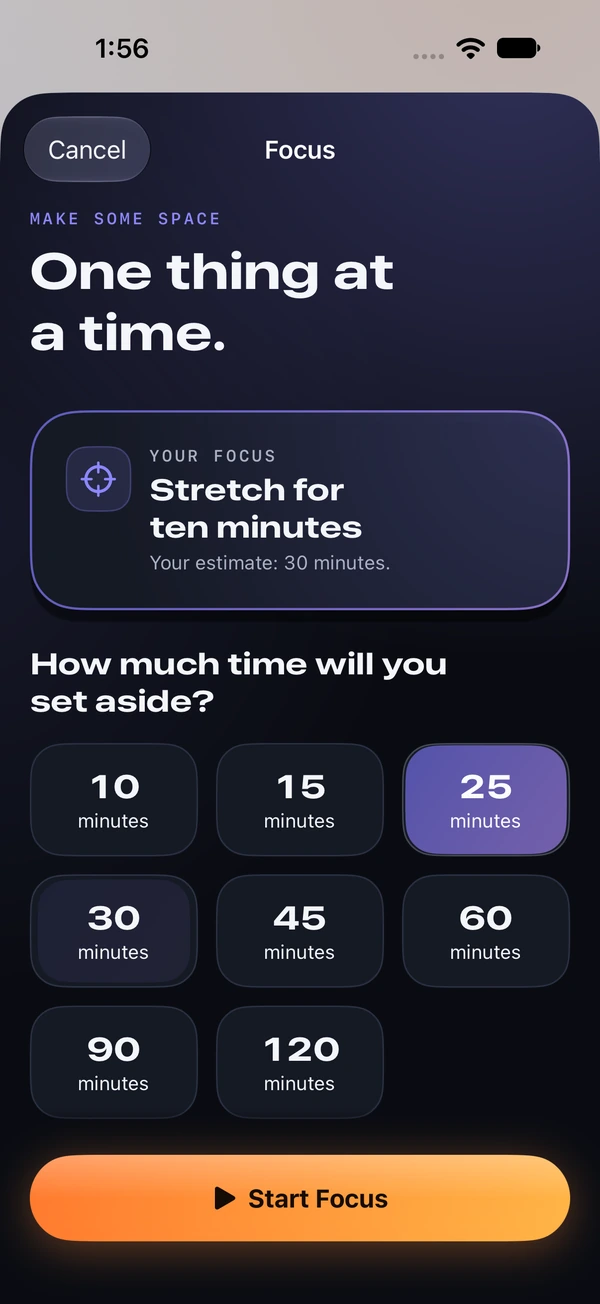
Start a focus timer, pause when you need to, and return when you’re ready.
A little intention. A different day.
The iPhone app that puts your plan first.
Choose your critical work. Shield your distractions.
Make good on your VOW.
For iPhone · Subscription required
App shielding requires Screen Time permission.
01 / A change in order
A chapter. A proposal. A little time for the thing you keep putting off. VOW connects your daily plan to the apps you choose to shield, giving your critical work a place to start.
02 / From intention to action
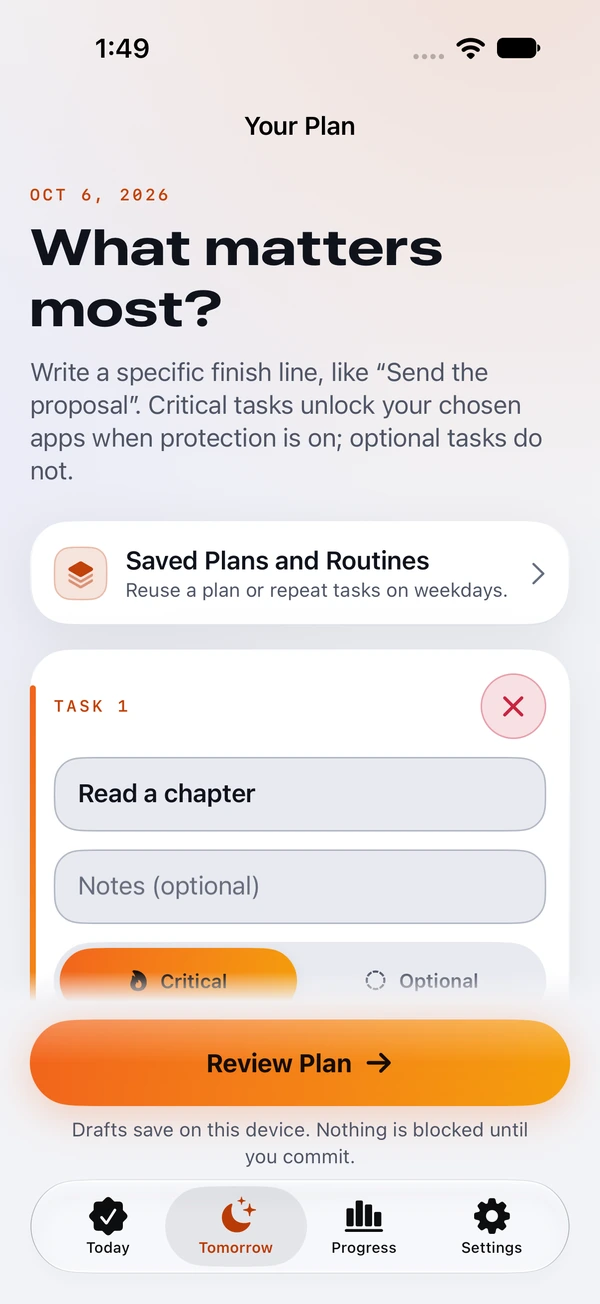
A daily plan with a finish line.
First, a promise.
Write a plan for today or tomorrow. Choose what’s critical and what’s optional. Review it, then commit when you’re ready.
Drafts stay editable. Nothing is blocked until your plan is active and protection is enabled.
Then, a boundary.
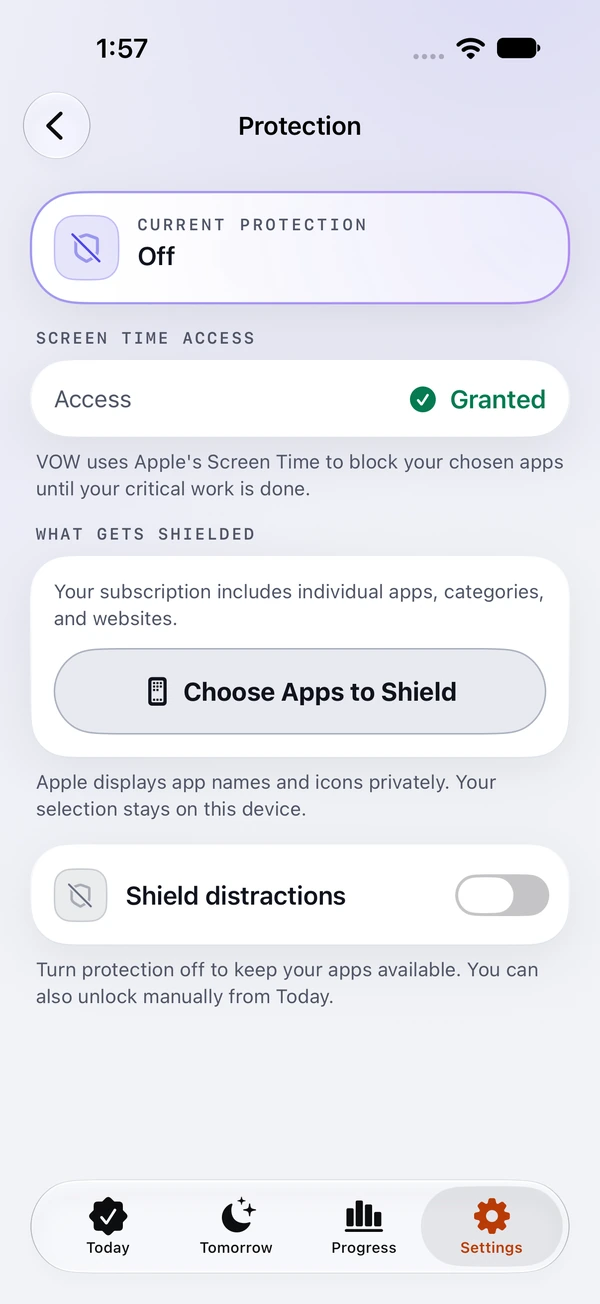
Choose the distracting apps to shield with Apple’s Screen Time. With an active plan and protection enabled, they stay shielded until you mark all critical tasks complete.
Screen Time permission and a subscription are required. This capture shows the controls before protection is turned on. A manual unlock is available.
Finally, follow through.
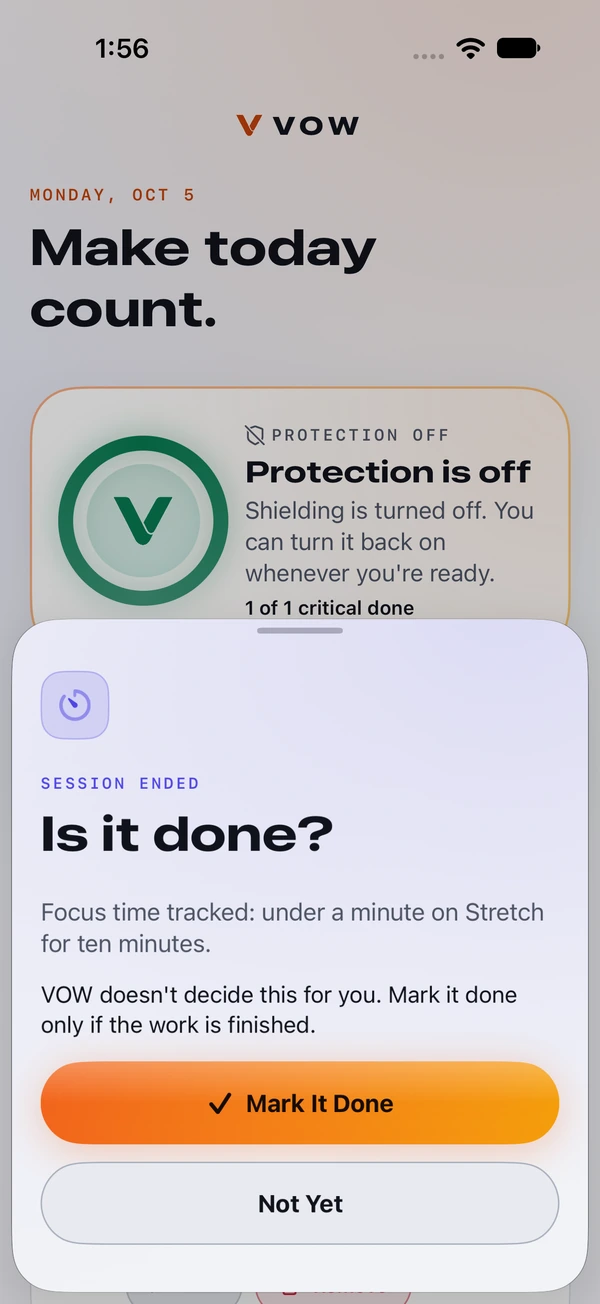
Work on your task, with an optional focus timer. When the work is finished, mark it complete. Completing all critical tasks releases your chosen apps.
Completion is self-reported. The timer records time; it does not verify that the work is complete. Optional tasks don’t hold the shield.
Explore each step.
Real iPhone screens. Sample app data.
03 / Built around your day
Start a focus timer, pause when you need to, and return when you’re ready.
Add an optional start time to a task. Keep the rest of your day flexible.
Home and Lock Screen widgets keep your VOW within reach. Review recorded focus time and completion history in the app.
Your progress starts with what you mark complete.
No separate sign-in. No ads in the app. Read how VOW handles data
Marking all critical tasks complete releases the shield on your chosen apps. Optional tasks don’t affect that. Completion is self-reported; a focus timer does not verify your work.
Yes. Add, edit, or remove today’s tasks when plans change. Saved plans and recurring tasks help prepare future drafts; they never commit a plan or turn on blocking automatically.
An emergency manual unlock is available. You can also turn protection off. VOW gives you the controls; it isn’t a tamper-proof restriction.
There’s no separate VOW sign-in. Task data stays on your device. Purchases use your Apple Account. The current release has no enabled VOW iCloud backup service; restoring purchases restores access, not your tasks.
VOW requires a monthly or annual subscription for planning and protection. Eligible new subscribers may receive a seven-day trial. Apple confirms your eligibility, localized price, billing period, and renewal date before purchase. See the full subscription details below.
05 / Your next move
Plan tonight.
Show up for tomorrow.
VOW requires a subscription to use its planning and protection features. Choose a monthly or annual plan after completing setup. Eligible new subscribers may receive a seven-day trial; Apple shows the actual eligibility, localized price, renewal date, and billing period before purchase. Subscriptions renew automatically unless cancelled through Apple Account subscription settings. Restore purchases using the same Apple Account. If membership ends, VOW retains local plans and removes its app restrictions.
Read the Terms of Use and Privacy Policy.